
Qbittorrent 5.2.3 Free Download - FilePitara
Download qBittorrent for MacOS. It is a free and reliable BitTorrent client. You can get the latest standalone offline installer for qBittorrent for MacOS.
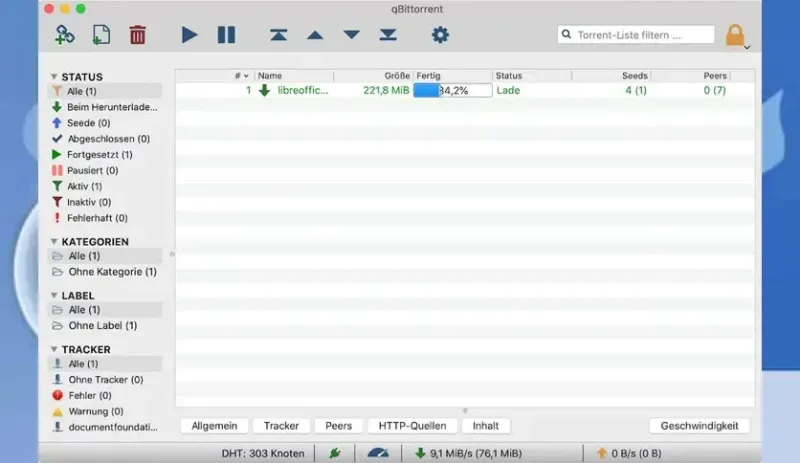
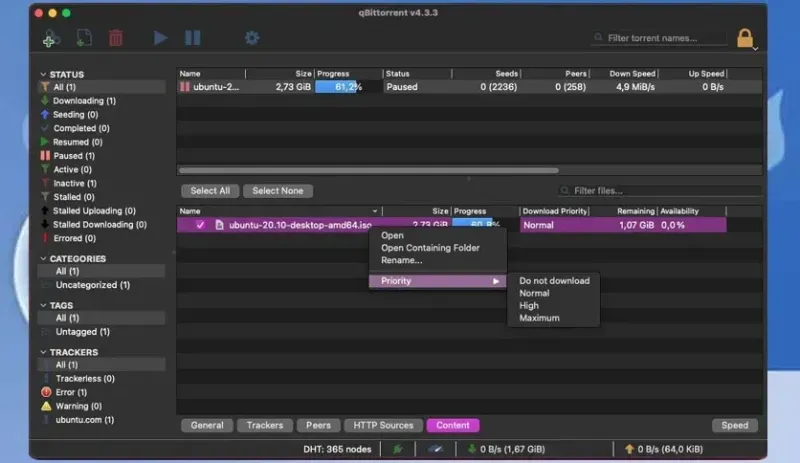
qBittorrent 5.2.3 allows you to download files over the internet using peer-to-peer technology. It has a user-friendly interface, a web control option, and a built-in search tool. qBittorrent is designed to work well for most users while using minimal resources on your computer.
Overview of qBittorrent for macOS
qBittorrent is a free and open-source torrent client designed for macOS. It has a clean and user-friendly interface, making it easy to download and manage torrents. It supports all major BitTorrent protocols, allowing you to connect with many peers and access a variety of content.
Developed in C++ and Qt4, qBittorrent aims to provide a free alternative to µTorrent. Its main features include an integrated search engine that lets you find torrents from major websites, UPnP/NAT-PMP support, encryption, Peer Exchange compatibility with µTorrent, IP filtering, torrent prioritization, and remote control via a secure web interface.
Features of qBittorrent for macOS
- Download multiple torrents at once
- Use the integrated torrent search engine
- Read and download from RSS feeds
- Support for many languages
- Features like DHT, PeX, encryption, LSD, UPnP, NAT-PMP, and µTP
- Lightweight and cross-platform
- Queue and prioritize torrents
- Control files within a torrent (filtering, prioritizing)
- User-friendly interface similar to µTorrent
- IP filtering options
- View peers with country and hostname resolution
- Advanced control over torrent trackers
- Create torrents
- Remote control via a secure web interface
Technical Details and System Requirements
- Requires macOS 10.12 or later
Frequently Asked Questions (FAQs)
Q: Is qBittorrent for Mac free to use?
A: Yes, qBittorrent is free to download, use, and share as it is an open-source project under the GNU General Public License (GPL).
Q: Can I schedule downloads with qBittorrent?
A: Yes, you can set specific times for downloads to start or stop, helping you manage your bandwidth effectively.
Q: Is qBittorrent safe to use?
A: qBittorrent is generally safe, but always use caution when downloading files from unknown sources. It’s a good idea to use antivirus software and check the trustworthiness of torrents.
Q: Can I control my qBittorrent downloads remotely?
A: Yes, qBittorrent has a web interface that lets you control and monitor your downloads from any device with a web browser.
Comments