
Cursor Ai 3.8.24 Free Download - FilePitara
Free download Cursor AI 3.8.24 - the latest version of an AI tool for coding. Download Cursor AI for your Windows PC. This tool helps developers work faster by allowing them to write, edit, and understand code more easily. It uses natural language and smart suggestions to boost productivity.
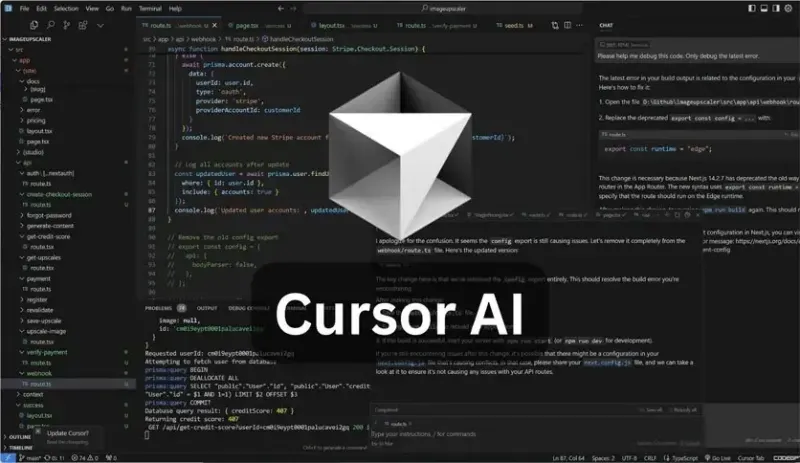
Overview of Cursor AI
Cursor AI is a helpful coding assistant that improves the software development process for beginners and experienced developers alike. It works with existing coding tools like a regular code editor but uses advanced AI features. This tool provides code suggestions, can write code based on user commands, and understands existing code, making the software development process more efficient.
Intelligent Coding Simplified
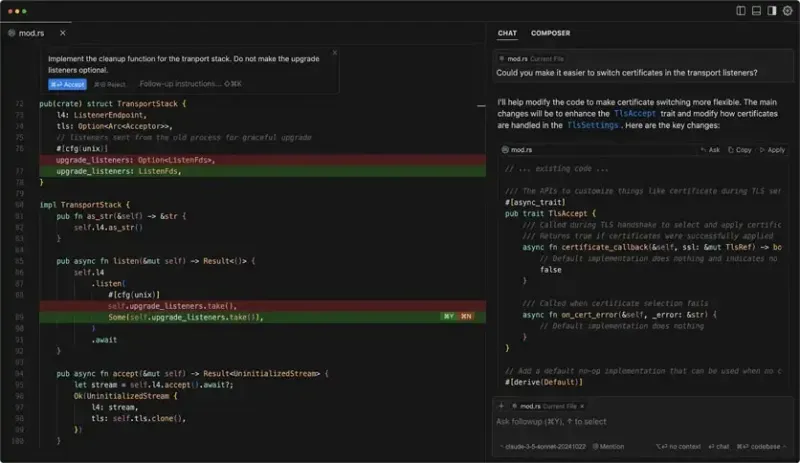
Cursor AI is great at predicting what comes next as you code. Its autocomplete feature functions like hitting the Tab key and understands what you want, providing smart suggestions that make coding easier. This helps you avoid unnecessary scrolling or repeated typing of the same code, allowing you to work faster.
Deep Understanding of Your Codebase
Cursor AI understands your entire codebase. You can move between files and check documentation while asking questions about your code. The tool gives clear answers, helping you spend less time searching for information and more time coding.
Natural Language Editing
You can use natural language to make coding requests. Simply tell Cursor AI, “convert this class into a React component” or “refactor this function for performance,” and it will complete the tasks for you. This feature feels like having a skilled developer ready to help whenever you need it.
Accelerated Software Development
Cursor AI combines speed with quality in software development. It helps you quickly create, update, and improve your code while ensuring clarity. The tool handles repetitive tasks, provides useful code snippets, and assists with debugging, making coding faster and easier.
Seamless Integration
Cursor AI is easy to adopt. You can import extensions, themes, and keyboard shortcuts with just one click. Its interface resembles familiar code editors, so you can focus on your work without learning a new system.
Enhanced Privacy and Security
Cursor AI prioritizes privacy. Its Privacy Mode makes sure your code is not sent without your consent, which is reassuring for developers working on private projects. The tool is also SOC 2-certified, meaning it adheres to strict security practices.
Advanced AI Technology
Cursor AI uses advanced AI models made for developers. This technology helps generate or edit code faster, with better predictions and more accurate results.
Target Audience
Cursor AI is useful for a wide audience. Whether you are a student learning to code, a professional tackling complex issues, or a freelancer working on various projects, this tool helps enhance productivity and efficiency.
System Requirements
- Operating System:Windows 11 / 10 / 8.1 / 7
- Processor: At least 1 GHz (2.4 GHz recommended)
- RAM: 2GB (4GB or more recommended)
- Free Hard Disk Space: 300MB or more recommended
Conclusion
Cursor AI combines the familiar look of traditional code editors with the smart capabilities of modern AI. It helps you write, edit, and understand code in new ways. With its many features designed to support and improve productivity, it is a valuable tool for developers of all experience levels. Using this tool can lead to a smoother, faster, and more enjoyable coding experience.
Comments