
Bittorrent Desktop 7.4.3 Free Download - FilePitara
Download BitTorrent Desktop for MacOS for free. This is the latest offline installer.
BitTorrent Desktop is a simple and effective torrent client. It allows you to share files safely and easily with others. Enjoy a smooth torrenting experience with reliable performance.
Overview of BitTorrent Desktop for macOS
BitTorrent Desktop is a reliable torrent client that makes file sharing easy and efficient. It has a straightforward interface and useful features like a built-in media player and remote access. With a focus on security, it allows users to download and share large files without hassle. Its smart bandwidth management also helps users download files quickly and efficiently.
Features of BitTorrent Desktop for macOS
- Efficient File Distribution: It uses a peer-to-peer method, letting users download and share large files by breaking them into smaller pieces. This speeds up the downloading process.
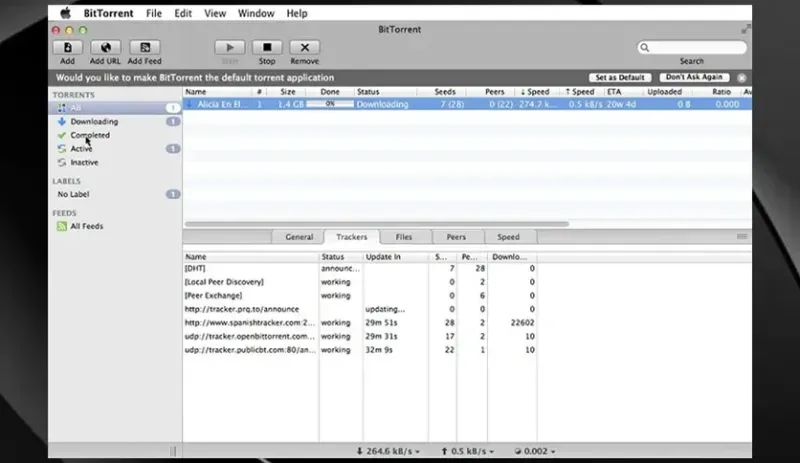
- User-Friendly Interface: The design is simple. Users can easily manage downloads, check their progress, and customize settings with easy controls.
- Built-in Media Player: Users can preview files using the built-in media player before the download finishes. This helps users check file quality.
- Remote Access: Users can manage their downloads from any device that has internet access. This makes it easy for users to stay connected while on the go.
- Scheduled Downloads: Users can set downloads to happen during off-peak hours. This helps manage bandwidth and provides a smoother experience.
- Automatic Bandwidth Management: The software adjusts bandwidth use based on current network conditions. This ensures that downloads do not slow down other internet activities.
- Sequential Downloading: Users can prioritize parts of a file to download first. This lets users access content quickly without waiting for the whole file.
- Encryption for Enhanced Security: BitTorrent offers encryption options for secure downloading, adding privacy and protection against unauthorized access.
Technical Details and System Requirements
- Requires macOS 10.6 or later
FAQs
- Q: How can I optimize download speed?
A: Change the number of active torrents, limit upload speeds, and join torrents with more seeders for faster downloads. - Q: How do I manage and prioritize downloads?
A: Users can manage downloads by changing priority settings. You can prioritize specific files or control the order of multiple downloads.
Conclusion
BitTorrent Desktop is one of the most trusted torrent clients available. It offers an efficient and user-friendly experience with many features and a commitment to user security. Users can confidently download, share, and explore the world of torrents.


Comments