
Windows 11 Pro Phoenix Ultra Lite Free Download - FilePitara
Free Download Windows 11 Pro Phoenix Ultra Lite to boost your gaming and productivity.
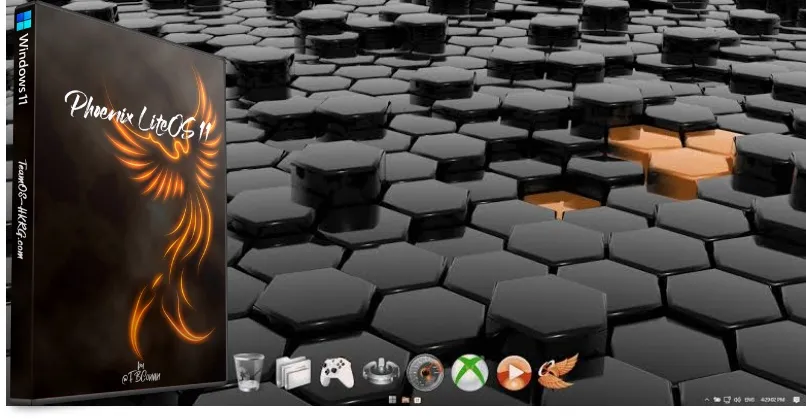
Download the Windows 11 Pro Phoenix Gamer LiteOS (x64) ISO for free. It can enhance your PC’s gaming and productivity performance.
Overview of Windows 11 Pro Phoenix Gamer LiteOS
Windows 11 Pro Phoenix Gamer LiteOS is made for older, low-spec PCs. It uses less storage, idle RAM, and CPU processes. This helps improve system responsiveness, reduces boot time, and speeds up software loading. It enhances both gaming and productivity performance and adds visually appealing features such as a transparent taskbar and new themes. It also works well on high-end PCs.
Features of Windows 11 Pro Phoenix Gamer
- Extreme Gaming Performance! This version is fast, smooth, and light, providing extreme performance for your gaming needs.
- It supports UWP apps and Xbox Game Pass.
- It uses as little as 400 MB of idle RAM and has low CPU usage.
- Installation is quick, and it has fast boot and loading times.
Removed features include Cortana, Edge, Internet Explorer, BitLocker, WSL, Hyper-V, Speech, OneDrive, Windows Defender, Windows Mail, Backup and Restore, Maps, Mixed Reality, optional features, and some fonts.
Disabled features include error reporting, feature and security updates, UAC, ads, telemetry, paging file, hibernation, power throttling, automatic maintenance, and download blocking.
Additions include an enhanced desktop with a transparent taskbar, more themes, additional context menu options, and basic tools in the Start Menu. This gives you more control over your Windows experience. We have not pre-installed much software or web browsers because we understand that everyone has different needs and preferences. You can find web browser installation files and other extras in the ‘Extras’ folder on the desktop.
DirectPlay and .NET Framework 3.5 come pre-installed. We highly recommend using Rufus to write to a USB drive for a clean install only.
Technical Details and System Requirements
- Processor: 1 GHz or faster with two or more cores on a compatible 64-bit processor
- RAM: 4 gigabytes or more
- Storage: 4 GB or larger storage device
- System Firmware: UEFI and Secure Boot capable
- Graphics Card: Compatible with DirectX 12 or later with the WDDM 2.0 driver
- Display: An HD display with at least 720p (1280×720) resolution and larger than 9 inches diagonal, 8-bits per color channel


Comments